 newoaks.ai
newoaks.ai › Blog › Is There an AI Appointment Booking Bot That Works Over Phone, SMS, and WhatsApp?
← All articlesIs There an AI Appointment Booking Bot That Works Over Phone, SMS, and WhatsApp?

Key takeaways
- AI appointment booking agents can support phone calls, SMS, and WhatsApp, but they need a connected calendar or scheduling system to offer live availability and create reliable bookings.
- WhatsApp can host a booking conversation, but it is not the scheduling source of truth; calendar rules, staff availability, buffers, and cancellation policies must come from an external system.
- A production-ready booking agent should handle lead qualification, booking creation, confirmations, rescheduling, cancellations, duplicate prevention, audit trails, and human handoff.
- Evaluate vendors using a 10-scenario acceptance test that includes missed calls, cross-channel continuity, fully booked days, rescheduling, opt-outs, and calendar failures.
- NewOaks AI publicly describes phone, SMS, WhatsApp, calendar scheduling, and webhook/API capabilities, but businesses should confirm plan-level availability and test their exact workflow before deployment.
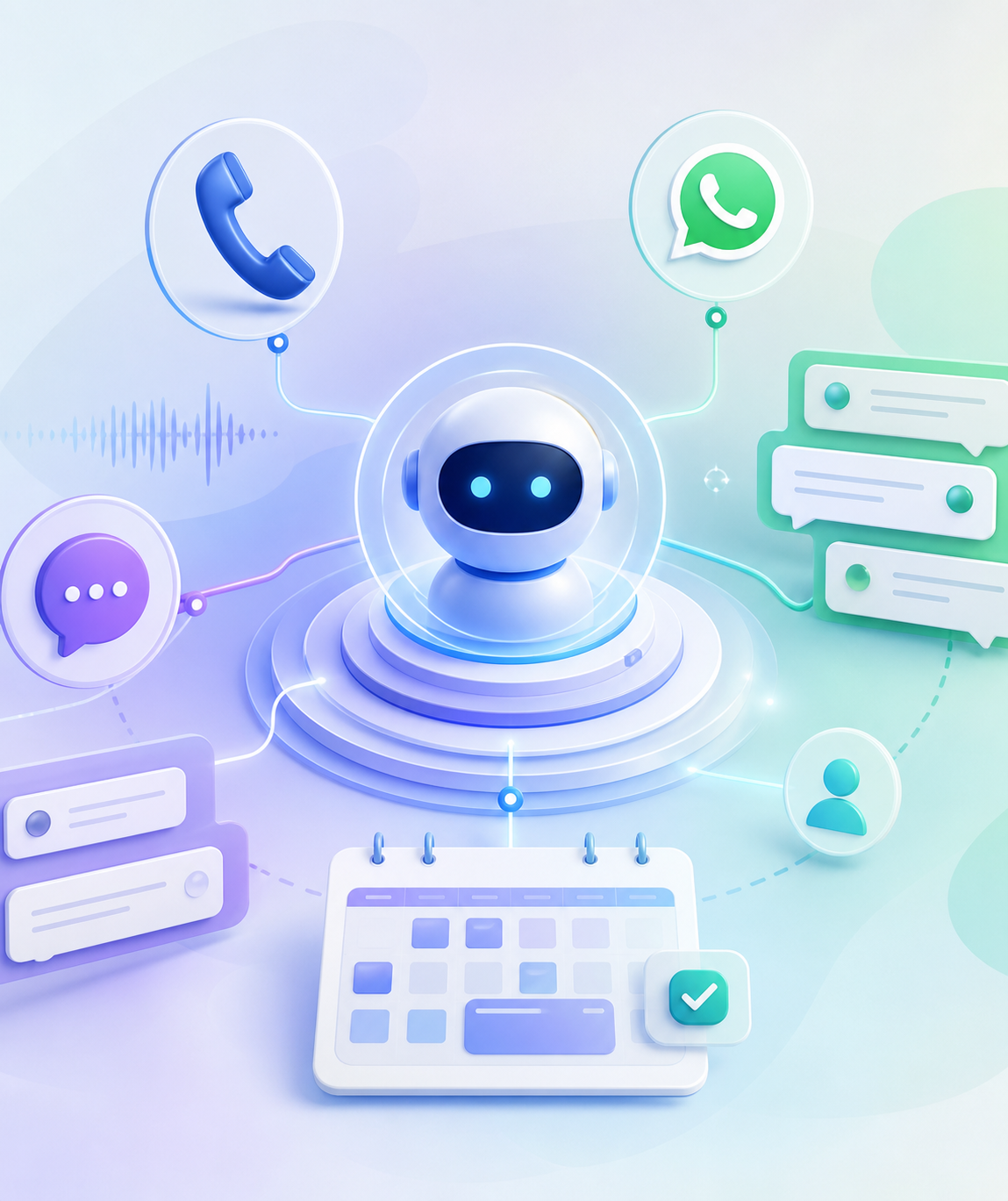
Yes. AI appointment-booking agents can handle inbound phone calls, SMS conversations, and WhatsApp messages, then check live availability and create bookings in a connected calendar or scheduling system. The important distinction is that multichannel messaging alone is not enough: reliable booking requires shared customer context, calendar rules, consent controls, and human handoff.
The short answer: what a cross-channel booking bot should do
A capable AI booking system can perform the same core workflow regardless of whether a prospect calls, texts, or sends a WhatsApp message:
1. Identify the customer and their requested service.
2. Ask qualification questions, such as location, preferred provider, urgency, or insurance status.
3. Check current availability in a calendar or scheduling platform.
4. Offer valid appointment times.
5. Create, update, or cancel the appointment.
6. Send confirmations and reminders through the customer’s preferred channel.
7. Transfer exceptions to a person with the full conversation history.
NewOaks AI is one example of a platform that publicly positions its agent across phone, SMS, WhatsApp, website chat, social channels, and email, with calendar scheduling and webhook/API capabilities listed in its product materials. NewOaks AI may be a fit for businesses that want a voice-first agent, but every provider should be tested against the business’s actual booking rules before launch.
The key question is not simply, “Does it support phone, SMS, and WhatsApp?” Ask instead: Can the system keep one customer record, retrieve live availability, avoid duplicate bookings, and preserve context when a conversation moves between channels?
Phone, SMS, and WhatsApp each serve a different booking job
A well-designed implementation uses each channel for the situations where it works best.
| Channel | Best use in a booking journey | Example |
|---|---|---|
| Phone | Complex questions, urgency, high-value leads, customers who prefer speaking | A caller asks whether a clinic offers same-week appointments and needs help selecting a provider. |
| SMS | Short follow-ups, confirmation links, reminders, missed-call recovery | A missed caller receives: “Thanks for calling. Would you like the next available Tuesday or Wednesday appointment?” |
| Conversational enquiries, media sharing, structured replies, international customer communication | A salon customer sends a photo reference, selects a service, then chooses an available stylist and time. | |
| Website chat | Capturing visitors before they leave the site | A visitor asks about pricing, qualifies for a consultation, and books directly from the chat widget. |
The best experience is channel-flexible. For example, a prospect may call after seeing a Google Business Profile, receive an SMS confirmation, and later use WhatsApp to reschedule. If each interaction creates a separate lead record, staff will see duplicates and customers may receive conflicting reminders.
Does WhatsApp book appointments by itself?
No. WhatsApp is the customer conversation channel, not the scheduling source of truth.
A WhatsApp booking workflow needs a connection to a calendar, booking platform, CRM, or custom backend that contains real availability and booking rules. That connected system should determine:
- Available staff, rooms, equipment, or service slots
- Appointment duration and setup or cleanup buffers
- Business hours, holidays, blackout dates, and time zones
- Location-specific availability
- Cancellation deadlines and rescheduling rules
- Whether a booking requires staff approval or a deposit
For example, an AI agent for a dental office should not offer “2:00 PM” merely because that time looks open in a shared calendar. It may need to verify that the correct dentist, chair, appointment type, and 15-minute turnover buffer are all available.
Google Calendar supports querying busy periods through its FreeBusy API and creating events through its Events API. Those functions can support booking workflows, but a business still needs to define the rules that determine which open periods are genuinely bookable.
WhatsApp also has rules for business-initiated messaging. Meta documents a 24-hour customer service window after a customer message; outside that window, businesses generally need to use an approved message template to initiate contact. See Meta’s WhatsApp Cloud API message guidance. That matters for reminder and re-engagement design.
What separates a real booking agent from a chat bot?
A simple chat bot can answer “What are your opening hours?” A production booking agent must complete a transaction safely.
Minimum operational capabilities
Use this checklist when comparing vendors or designing a custom workflow:
1. Live availability lookup: The agent must retrieve current availability rather than present static time slots.
2. Booking creation: It should write the date, time, service, attendee details, and booking notes to the system of record.
3. Identity and duplicate checks: It should match an existing contact by phone number, email, or CRM ID before creating a second record.
4. Rescheduling and cancellation: It must modify the original appointment rather than create a replacement while leaving the old booking active.
5. Conflict prevention: It should re-check availability immediately before confirming the appointment.
6. Customer confirmation: The confirmation should state the service, location or video link, date, time zone, and cancellation instructions.
7. Human handoff: The workflow should route sensitive, confusing, or out-of-policy requests to staff.
8. Audit trail: Staff need access to call recordings or transcripts, message history, booking events, failed actions, and handoff notes.
Platforms such as respond.io’s AI Agents describe multichannel automation for lead qualification, customer conversations, workflow actions, and appointment-related use cases. However, a vendor’s channel list is only the starting point. Businesses should verify the exact calendar, CRM, telephony, and WhatsApp connections available on their selected plan.
A practical 10-scenario test before buying or launching
The most useful way to evaluate a phone, SMS, and WhatsApp booking bot is to run a controlled acceptance test. This is more revealing than a polished demo because it tests the operational failures that cause lost leads and double bookings.
Use the following 10 scenarios with a test calendar and two staff members:
| Test scenario | What should happen | Failure to watch for |
|---|---|---|
| 1. New phone caller | Agent captures name, service, and preferred time; offers live slots | It invents availability or fails to save the booking |
| 2. Missed call | SMS follows up promptly with a clear next action | No follow-up, or a message goes to the wrong contact |
| 3. WhatsApp enquiry | Agent continues qualification and offers times | Conversation lacks the booking context from earlier channels |
| 4. Fully booked day | Agent offers the next valid alternative or a waitlist/callback | It offers unavailable times |
| 5. Two staff members | Agent books the requested provider correctly | It books any available provider without asking |
| 6. Reschedule request | Original event is updated and reminders change | A new event is created while the old one remains active |
| 7. Cancellation | Appointment is cancelled and the slot is released correctly | Cancellation is acknowledged but calendar remains booked |
| 8. Human escalation | Staff receive transcript, customer details, and attempted actions | Customer must repeat the entire request |
| 9. SMS opt-out | System honors “STOP” or the applicable opt-out command | Further automated messages continue |
| 10. WhatsApp reminder outside active conversation | Correct approved template process is used where required | Reminder is blocked or fails silently |
A useful internal scorecard is to mark each scenario as Pass, Pass with manual recovery, or Fail. Do not go live until the system passes all booking-critical scenarios: availability lookup, appointment creation, rescheduling, cancellation, and human escalation.
Example workflow: a local service business
Consider a three-location physiotherapy practice offering 30-minute initial assessments and 20-minute follow-up sessions.
A robust workflow might work like this:
1. A customer calls at 7:30 PM, after the front desk has closed.
2. The voice agent asks whether the customer is new or existing, their preferred location, and whether they need an initial assessment or follow-up.
3. The agent checks the scheduling system for a 30-minute initial-assessment slot with the appropriate practitioner.
4. The customer selects Thursday at 5:30 PM.
5. The agent creates the booking, sends an SMS confirmation, and notes that a reminder will follow 24 hours before the appointment.
6. The next morning, the customer replies by WhatsApp asking to move the booking later in the day.
7. The AI identifies the existing appointment, presents valid replacement times, updates the same booking record, and sends a revised confirmation.
8. If the customer mentions acute symptoms or requests clinical advice, the agent stops booking guidance and routes the conversation to the practice’s approved escalation process.
This example illustrates why calendar logic matters. The bot needs to know that an initial assessment is 30 minutes, that a particular practitioner works at only one location on Thursdays, and that the business does not accept certain clinical enquiries through automated chat.
Phone and SMS compliance requirements to plan for
Phone and SMS deployment involves more than selecting an AI vendor. Confirm whether the provider supplies a number, supports porting an existing number, enables inbound and outbound calls, and can transfer calls to staff.
For US businesses that send application-to-person SMS over local long-code numbers, A2P 10DLC registration may apply. Twilio’s A2P 10DLC compliance guide explains the registration framework, campaign use cases, and related messaging requirements. Rules vary by country, carrier, message type, and use case, so businesses should obtain appropriate legal or compliance guidance rather than assume one configuration works everywhere.
At a minimum, document:
- How customers provide consent to receive messages
- The opt-out process and the staff member responsible for exceptions
- Approved reminder, confirmation, and promotional message types
- Whether calls are recorded and how recordings are disclosed and retained
- Usage costs for voice minutes, phone numbers, SMS segments, WhatsApp conversations, and AI processing
- The fallback process when a calendar, carrier, or messaging API is unavailable
Is NewOaks AI a good fit for multichannel appointment booking?
NewOaks AI may be a relevant option for businesses looking for a voice-first AI agent that also supports text and messaging channels. Its public materials describe capabilities including phone, SMS, WhatsApp, website chat, social messaging, email, Google Calendar scheduling, and webhooks/APIs. Its webhook documentation is particularly relevant for organizations that need to send lead or appointment information to an external CRM, database, or reporting workflow.
Before choosing it—or any comparable platform—ask these implementation questions:
- Is phone, SMS, and WhatsApp included in the intended subscription tier?
- Can the business keep its existing phone number, and can calls transfer to staff?
- Does the calendar connection support multiple staff members, locations, buffers, time zones, and appointment types?
- Is CRM synchronization native, webhook-based, API-based, or dependent on an automation tool such as Zapier or Make?
- How are WhatsApp templates, opt-in requirements, and outbound messages managed?
- Can staff review transcripts and take over an active conversation?
- What happens if the calendar integration fails during a live call?
The right answer is not necessarily the platform with the most channels. It is the one that reliably completes the booking lifecycle for your specific services, locations, staffing model, and compliance requirements.
FAQ
Can one AI bot answer calls, SMS messages, and WhatsApp messages?
Yes. A single AI booking system can manage all three channels when they are connected to the same customer records, workflow logic, and scheduling backend. Confirm that conversation history and appointment status carry across channels.
Can an AI agent book directly into Google Calendar?
Yes, if it has a working Google Calendar integration with permission to check availability and create or modify events. Configure staff calendars, working hours, appointment lengths, buffers, and time-zone rules before enabling live booking.
Does WhatsApp need a calendar integration for appointment booking?
Yes. WhatsApp handles the customer conversation, while a connected calendar, booking system, CRM, or custom backend provides live availability and records the confirmed booking.
Can an AI booking bot reschedule and cancel appointments?
Yes, provided the scheduling integration supports those actions. Test that the bot updates the original booking, sends revised confirmations, and does not leave duplicate appointments behind.
What should happen when the AI cannot answer a customer’s request?
It should transfer the call or conversation to a person, create a callback task, or clearly explain the next step. Staff should receive the transcript, collected details, and any booking actions already attempted.
References
- https://respond.io/help/ai-agent-actions/ai-agent-action-handle-calls
- https://respond.io/blog/whatsapp-appointment-booking
- https://whatsappbusiness.com/products/business-platform
- https://bird.com/en-us/solutions/chatbots-automation
FAQ
Can one AI bot answer calls, SMS messages, and WhatsApp messages?
Yes. One AI booking system can manage phone, SMS, and WhatsApp when the channels connect to shared customer records, workflow logic, and a scheduling backend. Verify that identity, conversation history, and appointment status transfer across channels.
Can an AI agent book directly into Google Calendar?
Yes. With an authorized Google Calendar integration, an AI agent can check availability and create or modify events. The business must first configure appointment duration, staff calendars, working hours, buffers, and time zones.
Does WhatsApp need a calendar integration for appointment booking?
Yes. WhatsApp is the conversation channel; a connected calendar, booking system, CRM, or custom scheduling backend is needed to retrieve live availability and create the reservation.
Can an AI booking bot reschedule and cancel appointments?
Yes, if the scheduling integration exposes those actions. Test that the agent updates or cancels the original event, sends revised confirmations, and prevents duplicate appointments.
What should happen when the AI cannot answer a customer request?
The system should hand the conversation or call to staff, create a callback task, or provide a clear next step. The staff member should receive the transcript, captured customer details, and any booking actions already taken.